
Let’s talk about WordPress Core Web Vitals.
Google has made it very clear: Core Web Vitals are a real ranking signal, not just a nice-to-have lab score. If your WordPress site feels “okay” to you but fails Core Web Vitals in Search Console, you’re leaving rankings and revenue on the table—especially on mobile.
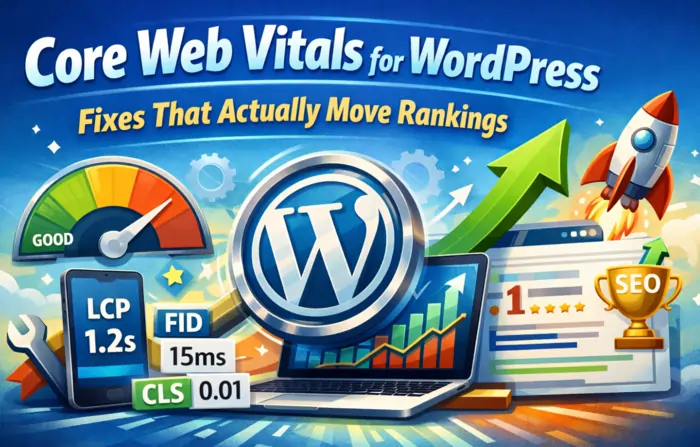
In this post, I’m not going to re‑explain what LCP, INP, and CLS mean. Instead, I’ll show you the WordPress‑specific fixes I’ve seen actually move those metrics and unlock ranking gains.
First, Know What “Good” Looks Like
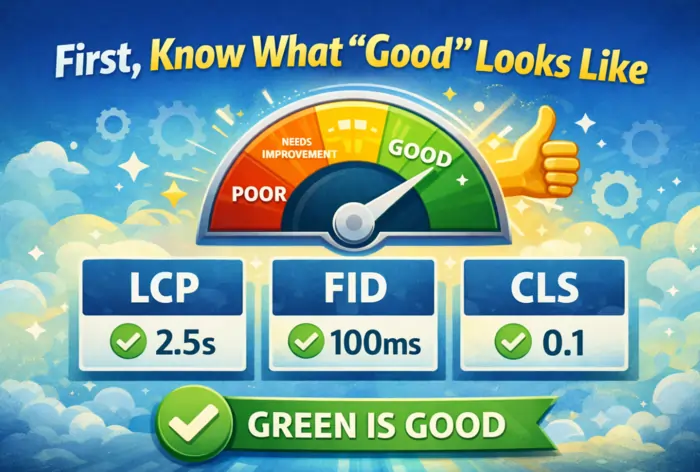
Google’s current thresholds for a “Good” Core Web Vitals experience are:
- LCP (Largest Contentful Paint) ≤ 2.5s
- INP (Interaction to Next Paint) ≤ 200ms (replaced FID in 2024)
- CLS (Cumulative Layout Shift) ≤ 0.1
Most “SEO‑optimized” WordPress sites I touch are failing at least one of these—often LCP on mobile and CLS on content-heavy pages.
If Search Console shows “Core Web Vitals: Failing”, that’s your first hint your rankings ceiling is lower than it should be.
Fix #1 – Stop Letting Your Theme Control Everything
We already talked about why “SEO‑friendly” themes can be a lie. Many WordPress sites fail Core Web Vitals because the theme ships more CSS and JS than the site will ever use.
On most audits, I see:
- Huge CSS bundles loaded on every page.
- Sliders, animations, and builders active globally.
- Fonts and icons blocking rendering.
What to actually do:
- Move to a lightweight, performance‑oriented theme, especially for new builds.
- Disable unused theme features (sliders, animations, icons, mega menus).
- Avoid importing full demo content; build what you need instead of dragging along every layout.
Guides like NitroPack’s fastest themes list and Jetpack’s Core Web Vitals resources show how much difference the base theme makes.
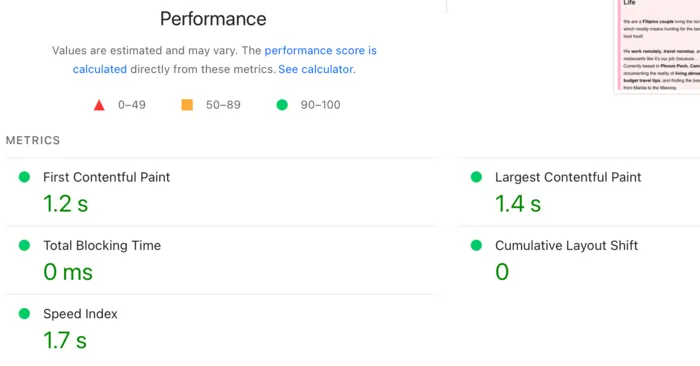
If your theme is the main culprit, you’ll see that reflected immediately in PageSpeed and Lighthouse once you switch.
Fix #2 – Fix LCP Where It Really Happens: Above the Fold
On WordPress sites, LCP is almost always one of these:
- The hero image.
- A big H1 text block.
- A featured image on posts.
If that element is heavy, unoptimized, or blocked by fonts/JS, your LCP dies.
Actionable LCP fixes that work on WordPress:
- Optimize hero images properly. Use modern formats (WebP/AVIF where supported), correct sizing, and compression.
- Preload the main hero image. Use
link rel="preload"for the actual LCP image—not every image. - Preload only critical fonts. Avoid multiple font families/weights. Preload what’s actually used above the fold.
- Defer non‑critical JS. Third‑party scripts, sliders, and tracking pixels should not block the first render.
- Use a proper caching plugin. WP Rocket, LiteSpeed Cache, or similar—configured to combine/minify smartly and serve HTML fast.
Most WordPress‑focused Core Web Vitals guides agree: hosting + cache + images + theme are the core stack for LCP.
Fix #3 – Tame INP by Killing JS Bloat
INP replaced FID because Google needed a better way to measure real interaction latency. On many WordPress sites, INP fails because of:
- Too many third‑party scripts (chats, pop‑ups, analytics, widgets).
- Heavy page builders doing layout logic in JS.
- Long tasks from bloated plugins.
Real fixes that move INP:
- Audit your plugins:
- Limit third‑party scripts:
- Delay non‑essential ones (heatmaps, chats) until after interaction.
- Use tag managers carefully; don’t dump everything in on all pages.
- Break long JS tasks:
- Defer non‑critical JS.
- Split bundles where possible.
- Avoid stacking multiple visual builders:
- Theme builder + page builder + block plugin = pain.
Case studies show that reducing JS execution time is often the difference between failing and passing INP on WordPress.
Fix #4 – Lock Down Layout to Fix CLS
CLS is about visual stability. On WordPress, the usual enemies are:
- Images without width/height attributes.
- Ads and widgets that appear late and push content down.
- Sticky headers that change size on scroll.
- Late‑loading fonts changing text width.
WordPress‑specific CLS fixes:
- Ensure all images (especially in content blocks) have explicit width and height.
- Reserve space for ads, banners, and embeds using fixed containers.
- Set a fixed height for hero sections and sliders.
- Preload critical fonts and avoid swapping between multiple families.
Resources like HeyReliable’s step‑by‑step CWV guide show exactly how these small layout changes add up to a passing CLS.
Fix #5 – Hosting and CDN: Your Hidden Multiplier
Sometimes your Core Web Vitals are bad not because your setup is terrible, but because your infrastructure is too weak.
Studies comparing different setups show that better hosting, CDNs, and caching architectures drastically improve real‑world metrics.
For WordPress, that usually means:
- Using modern PHP versions and decent hardware.
- Enabling full‑page caching for anonymous traffic.
- Using a CDN for static assets (images, CSS, JS).
A lot of 2026 guides now explicitly recommend: optimize stack first, then chase micro‑optimizations.
Fix #6 – Measure Like a Developer, Not Just a Marketer
The biggest mistake I see is relying only on one tool (usually PageSpeed Insights) and ignoring everything else.
To actually fix Core Web Vitals on WordPress, you need both:
- Lab data – PageSpeed Insights, Lighthouse, GTmetrix, WebPageTest.
- Field data – Search Console’s Core Web Vitals report and Chrome UX data.
Minimal measurement stack:
- PageSpeed Insights for quick lab scores and suggestions.
- Search Console → Core Web Vitals for real‑user data.
- Chrome DevTools (Performance + Coverage) for JS/CSS bloat and long tasks.
Research on Core Web Vitals and rankings repeatedly shows: sites that hit “Good” thresholds tend to outrank equally relevant “slow” competitors.
Where Core Web Vitals Actually Move Rankings
There’s a lot of debate about “how much” Core Web Vitals matter, but 2025–2026 analyses land on a consistent point:
- Core Web Vitals are a tiebreaker in competitive SERPs with similar relevance.
- Failing badly can hurt you when competitors offer a much better UX.
So no—fixing LCP alone won’t outrank a massively more authoritative site. But in high‑intent, competitive keywords, Core Web Vitals are often the difference between:
- Being stuck just outside the top results.
- Or getting the visibility you already earned with your content and links.
For me, CWV is about unlocking the full value of everything else you’re doing.
How This Fits Into Your WordPress SEO Roadmap
If you’re running WordPress, your practical order of operations usually looks like this:
- Fix the foundation
- Hosting, theme, caching, minimal plugin stack.
- Fix Core Web Vitals
- Dial in architecture and content
- Internal links, URL structure, on‑page SEO.
- Layer on links and growth
- Off‑page, content expansion, high‑stakes campaigns.
The first two steps live inside Technical Excellence and the Performance Lab on my site.
Where to Go Deeper (and Get Help)
If you want more of this kind of WordPress‑plus‑technical‑SEO content:
- Explore Technical Excellence for the architecture and implementation side.
- Check Performance Lab for future Core Web Vitals case studies and walkthroughs.
- Browse Marketing Strategy to see how technical gains connect to traffic and conversions.
If your WordPress site is currently failing Core Web Vitals and you don’t want to spend weeks debugging:
- See how I work with clients on Work With Me
- Or tell me about your setup via Contact
I grew up around people who treated rankings as a way to feed the family—not as a vanity metric. Core Web Vitals are one of those levers that can quietly turn “almost there” into actually winning.

James Cee Diaz | Web Dev Technical SEO & Search Strategist
Most SEOs find problems they can’t fix; most developers build sites that can’t rank. I bridge that gap. I engineer search-ready infrastructure for high-stakes iGaming and affiliate markets—ensuring your architecture is optimized to win before the first word of content is even written.